Command
Lista con buscador y teclado sobre Base UI Autocomplete. Misma API que el command de shadcn, sin cmdk (que trae Radix).
Forms@saastro/dialog@base-ui/reactlucide-react
Installation
npx shadcn@latest add @saastro/commandPreview
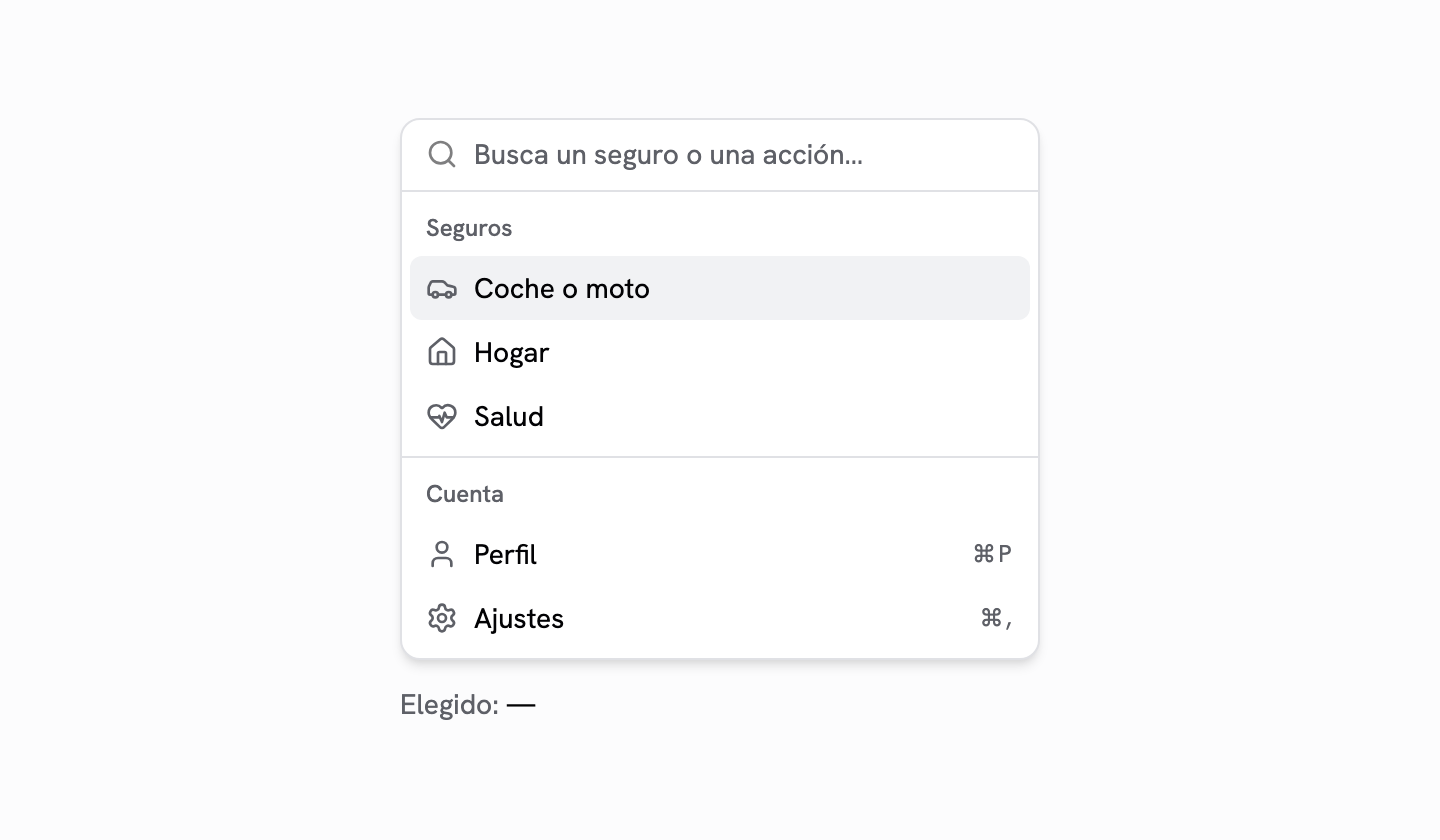
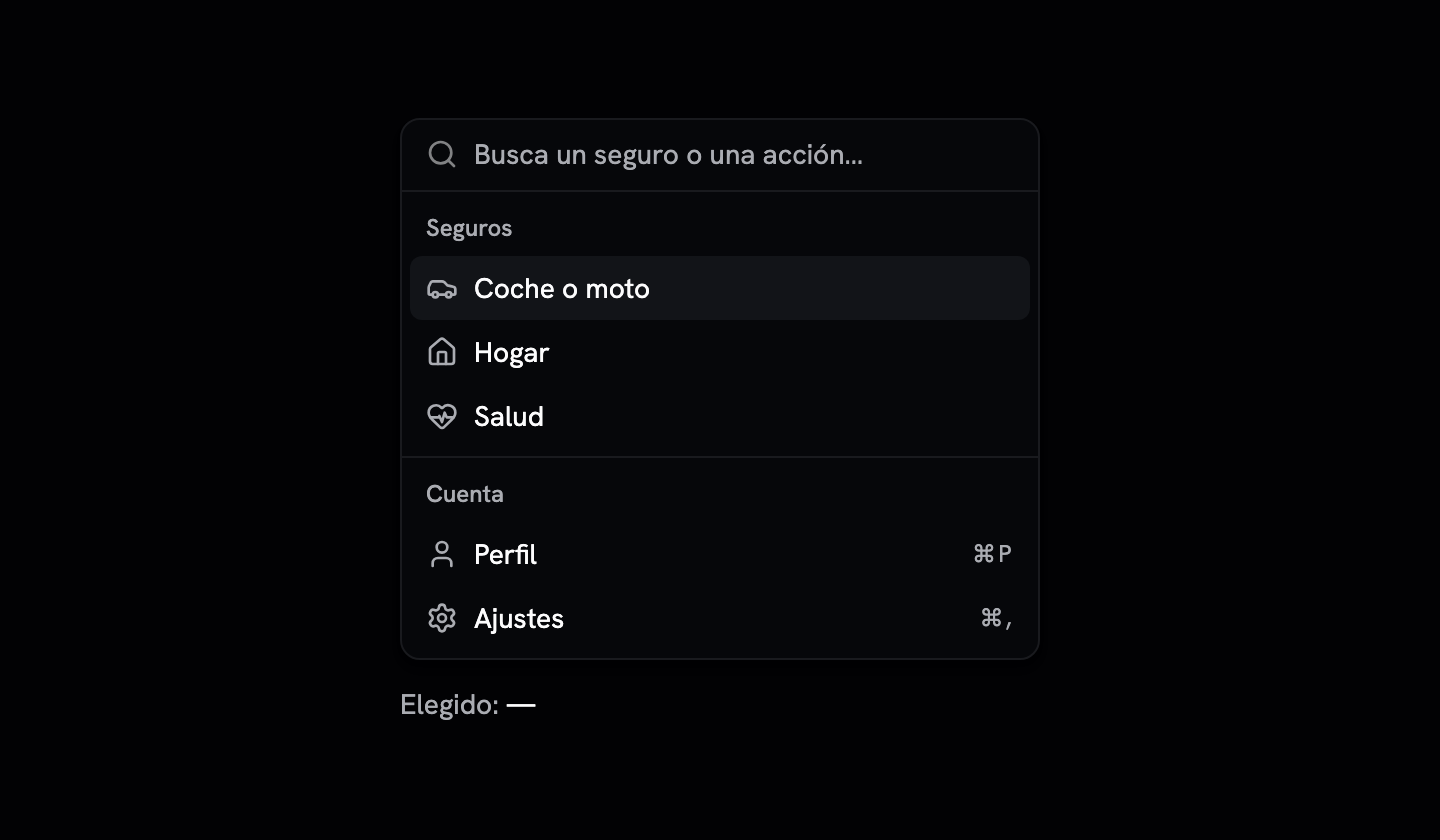
Source Code
"use client";

import * as React from "react";
import { Autocomplete as AutocompletePrimitive } from "@base-ui/react/autocomplete";
import { SearchIcon } from "lucide-react";

import { cn } from "@/lib/utils";
import {
  Dialog,
  DialogContent,
  DialogDescription,
  DialogHeader,
  DialogTitle,
} from "@/components/ui/dialog";

// Command sobre Base UI Autocomplete, con la API del command.tsx de shadcn
// (cmdk) en lo que usa @saastro/forms: `shouldFilter`, `CommandInput` con
// `onValueChange`, `CommandItem` con `value` + `onSelect(value)`. cmdk trae
// @radix-ui/react-dialog de dependencia; éste no trae nada de Radix.
//
// Los items se declaran como children (igual que en cmdk): cada CommandItem
// se registra en el contexto y el filtro lo decide Command, no Base UI. Por
// eso el Root va en `mode="none"` (Base UI no filtra) e `inline open` (la
// lista vive en el sitio, sin popup propio).

type CommandFilter = (
  value: string,
  search: string,
  keywords?: string[],
) => number;

const defaultFilter: CommandFilter = (value, search, keywords) => {
  const needle = search.trim().toLowerCase();
  if (!needle) return 1;
  const haystack = [value, ...(keywords ?? [])].join(" ").toLowerCase();
  return haystack.includes(needle) ? 1 : 0;
};

type RegisteredItem = { value: string; keywords?: string[] };

type CommandContextValue = {
  search: string;
  isVisible: (item: RegisteredItem) => boolean;
  register: (id: string, item: RegisteredItem) => () => void;
  visibleCount: number;
  setInputHandler: (handler: ((search: string) => void) | undefined) => void;
  setControlledSearch: (search: string | undefined) => void;
};

const CommandContext = React.createContext<CommandContextValue | null>(null);

function useCommand(part: string) {
  const ctx = React.useContext(CommandContext);
  // Sin `<…>` en el texto: Semgrep (html-in-template-string) lo marca en cada
  // consumidor, y un `// nosemgrep` allí lo borra el siguiente `shadcn add --overwrite`.
  if (!ctx) throw new Error(`${part} tiene que ir dentro de Command`);
  return ctx;
}

type CommandProps = Omit<React.ComponentProps<"div">, "onSelect"> & {
  /** Si es false, Command no filtra: se pintan todos los items (búsqueda en servidor). */
  shouldFilter?: boolean;
  /** Devuelve > 0 si el item casa con la búsqueda. Por defecto, subcadena sin mayúsculas. */
  filter?: CommandFilter;
  /** Etiqueta accesible de la lista. */
  label?: string;
};

function Command({
  className,
  shouldFilter = true,
  filter = defaultFilter,
  label,
  children,
  ...props
}: CommandProps) {
  const [search, setSearch] = React.useState("");
  const [controlledSearch, setControlledSearch] = React.useState<
    string | undefined
  >();
  const [items, setItems] = React.useState<ReadonlyMap<string, RegisteredItem>>(
    () => new Map(),
  );
  const inputHandler = React.useRef<((search: string) => void) | undefined>(
    undefined,
  );

  const effectiveSearch = controlledSearch ?? search;

  const register = React.useCallback((id: string, item: RegisteredItem) => {
    setItems((prev) => {
      const next = new Map(prev);
      next.set(id, item);
      return next;
    });
    return () =>
      setItems((prev) => {
        const next = new Map(prev);
        next.delete(id);
        return next;
      });
  }, []);

  const isVisible = React.useCallback(
    (item: RegisteredItem) =>
      !shouldFilter || filter(item.value, effectiveSearch, item.keywords) > 0,
    [shouldFilter, filter, effectiveSearch],
  );

  let visibleCount = 0;
  for (const item of items.values()) if (isVisible(item)) visibleCount++;

  const ctx = React.useMemo<CommandContextValue>(
    () => ({
      search: effectiveSearch,
      isVisible,
      register,
      visibleCount,
      setInputHandler: (handler) => {
        inputHandler.current = handler;
      },
      setControlledSearch,
    }),
    [effectiveSearch, isVisible, register, visibleCount],
  );

  return (
    <CommandContext.Provider value={ctx}>
      <AutocompletePrimitive.Root
        inline
        open
        mode="none"
        autoHighlight="always"
        value={effectiveSearch}
        onValueChange={(value, details) => {
          // En cmdk la búsqueda solo la cambia quien teclea. Base UI 1.8, en
          // inline, no escribe el item elegido en el input (medido: solo
          // llega `input-change`); el guard es por si una versión lo hace.
          if (details.reason === "item-press") return;
          setSearch(value);
          inputHandler.current?.(value);
        }}
      >
        <div
          data-slot="command"
          aria-label={label}
          className={cn(
            "flex size-full flex-col overflow-hidden rounded-md bg-popover text-popover-foreground",
            className,
          )}
          {...props}
        >
          {children}
        </div>
      </AutocompletePrimitive.Root>
    </CommandContext.Provider>
  );
}

function CommandDialog({
  title = "Command Palette",
  description = "Search for a command to run...",
  children,
  className,
  showCloseButton = true,
  ...props
}: Omit<React.ComponentProps<typeof Dialog>, "children"> & {
  children?: React.ReactNode;
  title?: string;
  description?: string;
  className?: string;
  showCloseButton?: boolean;
}) {
  return (
    <Dialog {...props}>
      <DialogHeader className="sr-only">
        <DialogTitle>{title}</DialogTitle>
        <DialogDescription>{description}</DialogDescription>
      </DialogHeader>
      <DialogContent
        className={cn("overflow-hidden p-0", className)}
        showCloseButton={showCloseButton}
      >
        <Command className="**:data-[slot=command-group-heading]:px-2 **:data-[slot=command-group-heading]:font-medium **:data-[slot=command-input-wrapper]:h-12 **:data-[slot=command-input]:h-12 **:data-[slot=command-item]:px-2 **:data-[slot=command-item]:py-3">
          {children}
        </Command>
      </DialogContent>
    </Dialog>
  );
}

type CommandInputProps = Omit<
  AutocompletePrimitive.Input.Props,
  "value" | "defaultValue" | "onValueChange"
> & {
  /** Búsqueda controlada, como en cmdk. */
  value?: string;
  /** Se llama con el texto que teclea el usuario (no al elegir un item). */
  onValueChange?: (search: string) => void;
};

function CommandInput({
  className,
  value,
  onValueChange,
  ...props
}: CommandInputProps) {
  const { setInputHandler, setControlledSearch } = useCommand("CommandInput");

  React.useEffect(() => {
    setInputHandler(onValueChange);
    return () => setInputHandler(undefined);
  }, [onValueChange, setInputHandler]);

  React.useEffect(() => {
    setControlledSearch(value);
  }, [value, setControlledSearch]);

  return (
    <div
      data-slot="command-input-wrapper"
      className="flex h-9 items-center gap-2 border-b px-3"
    >
      <SearchIcon className="size-4 shrink-0 opacity-50" />
      <AutocompletePrimitive.Input
        data-slot="command-input"
        className={cn(
          "flex h-10 w-full rounded-md bg-transparent py-3 text-sm outline-hidden placeholder:text-muted-foreground disabled:cursor-not-allowed disabled:opacity-50",
          className,
        )}
        {...props}
      />
    </div>
  );
}

function CommandList({
  className,
  ...props
}: AutocompletePrimitive.List.Props) {
  return (
    <AutocompletePrimitive.List
      data-slot="command-list"
      className={cn(
        "max-h-[300px] scroll-py-1 overflow-x-hidden overflow-y-auto",
        className,
      )}
      {...props}
    />
  );
}

function CommandEmpty({ className, ...props }: React.ComponentProps<"div">) {
  const { visibleCount } = useCommand("CommandEmpty");
  if (visibleCount > 0) return null;
  return (
    <div
      data-slot="command-empty"
      role="presentation"
      className={cn("py-6 text-center text-sm", className)}
      {...props}
    />
  );
}

function CommandGroup({
  className,
  heading,
  children,
  ...props
}: AutocompletePrimitive.Group.Props & { heading?: React.ReactNode }) {
  return (
    <AutocompletePrimitive.Group
      data-slot="command-group"
      className={cn(
        // Como en cmdk: un grupo sin items visibles no se pinta.
        "overflow-hidden p-1 text-foreground not-has-data-[slot=command-item]:hidden",
        className,
      )}
      {...props}
    >
      {heading != null && (
        <AutocompletePrimitive.GroupLabel
          data-slot="command-group-heading"
          className="px-2 py-1.5 text-xs font-medium text-muted-foreground"
        >
          {heading}
        </AutocompletePrimitive.GroupLabel>
      )}
      {children}
    </AutocompletePrimitive.Group>
  );
}

function CommandSeparator({
  className,
  alwaysRender = false,
  ...props
}: AutocompletePrimitive.Separator.Props & { alwaysRender?: boolean }) {
  const { search } = useCommand("CommandSeparator");
  if (search && !alwaysRender) return null;
  return (
    <AutocompletePrimitive.Separator
      data-slot="command-separator"
      className={cn("-mx-1 h-px bg-border", className)}
      {...props}
    />
  );
}

type CommandItemProps = Omit<
  AutocompletePrimitive.Item.Props,
  "value" | "onSelect"
> & {
  /** Lo que se filtra y lo que recibe `onSelect`, tal cual (sin pasar a minúsculas). */
  value: string;
  keywords?: string[];
  onSelect?: (value: string) => void;
};

function CommandItem({
  className,
  value,
  keywords,
  onSelect,
  onClick,
  ...props
}: CommandItemProps) {
  const { register, isVisible } = useCommand("CommandItem");
  const id = React.useId();
  const keywordsKey = keywords?.join("\u0000");

  React.useLayoutEffect(
    () => register(id, { value, keywords }),
    // eslint-disable-next-line react-hooks/exhaustive-deps
    [id, value, keywordsKey, register],
  );

  if (!isVisible({ value, keywords })) return null;

  return (
    <AutocompletePrimitive.Item
      data-slot="command-item"
      value={value}
      onClick={(event) => {
        onClick?.(event);
        if (!props.disabled) onSelect?.(value);
      }}
      className={cn(
        "relative flex cursor-default items-center gap-2 rounded-sm px-2 py-1.5 text-sm outline-hidden select-none data-disabled:pointer-events-none data-disabled:opacity-50 data-highlighted:bg-accent data-highlighted:text-accent-foreground [&_svg]:pointer-events-none [&_svg]:shrink-0 [&_svg:not([class*='size-'])]:size-4 [&_svg:not([class*='text-'])]:text-muted-foreground",
        className,
      )}
      {...props}
    />
  );
}

function CommandShortcut({
  className,
  ...props
}: React.ComponentProps<"span">) {
  return (
    <span
      data-slot="command-shortcut"
      className={cn(
        "ml-auto text-xs tracking-widest text-muted-foreground",
        className,
      )}
      {...props}
    />
  );
}

export {
  Command,
  CommandDialog,
  CommandEmpty,
  CommandGroup,
  CommandInput,
  CommandItem,
  CommandList,
  CommandSeparator,
  CommandShortcut,
};
Registry Setup
Add the Saastro registry to your components.json:
{
  "registries": {
    "@saastro": "https://ui.saastro.io/r/{name}.json"
  }
}